Following on from the popular “UCS for my Wife” I have been inspired to write a quick Architecture comparison for people familiar with the HP C7000 Chassis who want a quick UCS comparison.
I’m not going into the “which is better” debate in this post, but simply the architectural differences.
This post has come about after I received a tweet from an HP literate engineer asking whether I would recommend striping ESXi hosts across several UCS chassis to reduce the impact to an ESXi Cluster in event of a Chassis failure. As this was his best practice in his HP C7K environment.
So the short answer to the question is yes, but probably not for the reasons you may think.
First off you need to embrace the concept that UCS is not a Chassis Centric architecture, “How can you say that Colin, Cisco UCS has Chassis everywhere”, I hear you cry.
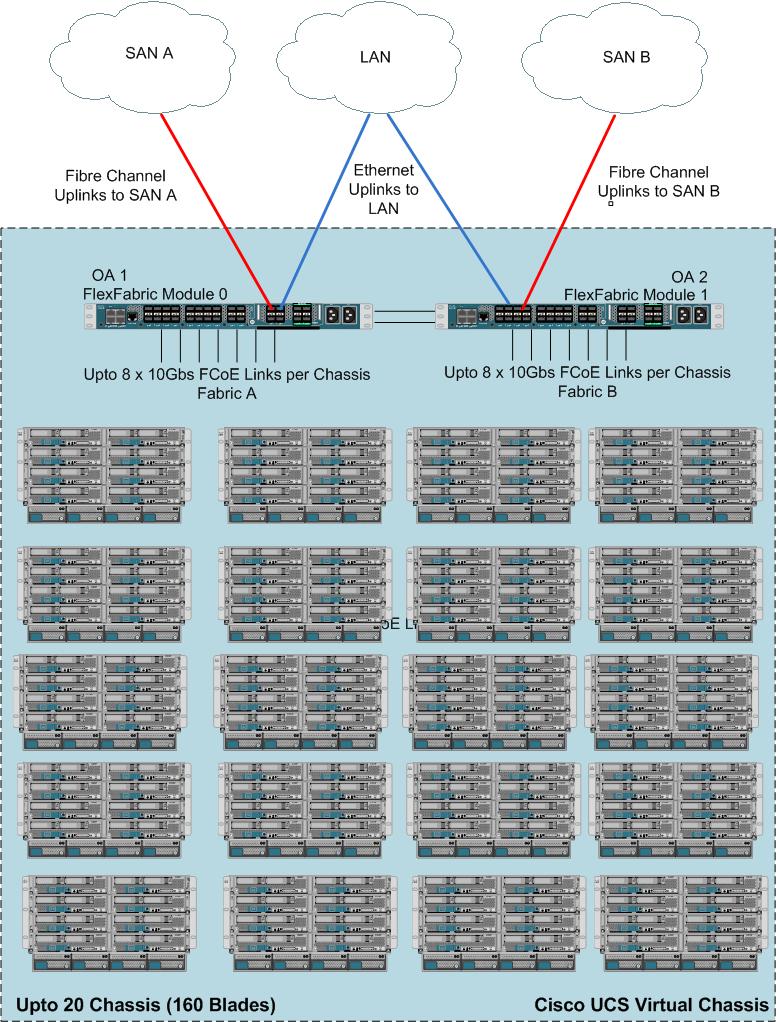
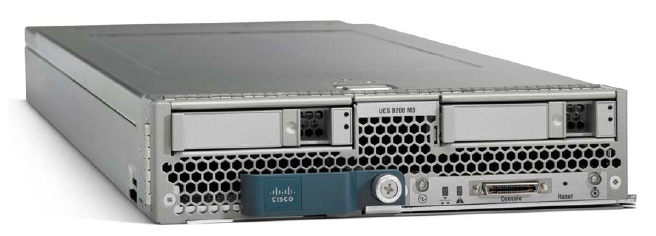
Well I’ll tell you. You need to think of the entire Cisco UCS Infrastructure as the “Virtual Chassis” the fact that Cisco provide nice convenient bits of tin that house 8 blades is merely to provide power, cooling and nice modular building blocks for expansion.
There is no intelligence or hardware switching that goes on inside a UCS Chassis.
For conceptual purposes I have drawn out the “Cisco UCS Virtual Chassis” and have listed where the HP C7000 “equivalents” are located to aid in getting the concept across.
Now the Cisco and HP technologies are not like for like but for the purposes of the “virtual chassis concept” the comparison of where each element is placed from a functionality view is totally valid.

UCS for HP People
So first off, as you can see the HP modules with which I’m sure you are very familiar have all been taken out of the Chassis.
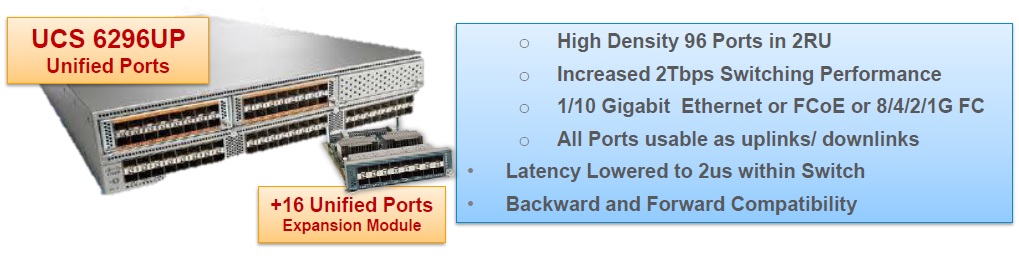
The Onboard Administrator modules (OA) have there equivalents within the 2 Fabric Interconnects (FI’s), (the things that look like switches generally in the tops of the UCS racks.) There are 2 FI’s which house an Active/Standby software management module (UCS Manager) These two FI’s are clustered together so you only ever need to reference the single cluster address, regardless of the number of chassis in your UCS domain.
The Virtual Connect, Flex 10, Fibre Channel and FlexFabric “equivalents” again are within the Fabric Interconnects, but unlike the Active/Standby relationship of the management element, the Data elements run Active/Active i.e. both Fabric Interconnects forward traffic providing load balancing as well as fault tolerance.
So as you can see, imagine dissecting your C7000 chassis, consolidating and putting all your OA’s, Virtual connect modules, FC Modules and switches in the top of the rack and expanding your 16 slot chassis to a 160 slot chassis and your pretty much there.
So going back to the original question as to whether I would recommend splitting clusters across Chassis.
Well as hopefully you know now, there is no single point of failure within a Cisco UCS chassis, so unless you insert your blades with a hydraulic ram and manage to crack the mid-plane you should be ok.
Firmware infrastructure updates can be done without disruption to the hosts so no issues there, Although I would always recommend these be done in a potential outage window, because as we all know sh*t does happen sometimes. Blade / Adapter firmware upgrades do require the blades to be rebooted, but this can easily be planned and managed allowing you to vacate the VM’s off a blade before you apply the host firmware policy and reboot it.
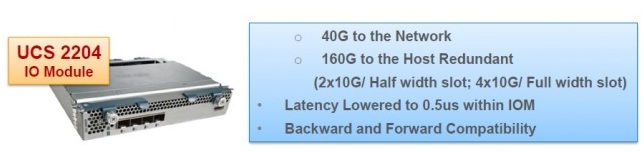
Bandwidth should not be a consideration as each chassis can have up to 160Gbs of bandwidth (80Gbs per fabric Active/Active)
So the reason I would recommend splitting ESXi clusters across chassis is really to minimize human errors causing major disruption to a cluster.
Imagine you have 8 hosts in a cluster and all 8 hosts are in the same chassis. An engineer gets told to go and turn off Chassis 1, he gets in the DC and does not notice the blue flashing locator light on Chassis 1, neither does he notice the Label Chassis 1 on the front, and rather than count from the bottom he counts from the top and pulls out all of the grid redundant power supplies and brings down your cluster. This would never happen though right?
Being fair I have never seen the above happen either, but what I have seen happen is a UCS admin right click and re-acknowledge a chassis which caused 30 seconds of outage to ALL blades in that chassis. (You re-ack a chassis if you ever change the number of chassis to FI cables) obviously you should never re-ack a chassis in a period when 30secs of disruption to all blades in it will cause you issues.
So while from the UCS’s point of view it may not care whether all host are in the same chassis or distributed across chassis, best practice based on my experience is definitely to distribute the Cluster hosts across chassis.
Hope this clarifies things.